As a football fan in Canada, you do not want a spinning wheel to replace the kickoff of a World Cup 2026 match. Apollo Group IPTV gives you access to live TV, sports channels, and on demand content on the same devices you already use at home. In this guide, you learn how to set up Apollo Group IPTV for match days, how to watch World Cup 2026 in Canada on Firestick, Smart TV, or mobile, and how to cut down buffering when the action heats up. We will walk through internet speed tips, device choices, and basic safety habits so you can focus on the matches instead of tech stress.
Table of Contents
Can You Watch World Cup 2026 with Apollo Group IPTV?
Many Canadian viewers use Apollo Group IPTV to follow live sports, including major football tournaments. For World Cup 2026, your experience will depend on your internet speed, device choice, and how busy your home network is during matches. The service works on popular devices like Firestick, Android TV, Smart TVs, phones, and computers, so you can watch on the screen that fits your routine. To lower the chance of buffering during kickoffs, prepare your setup before match day and keep a backup viewing option ready, such as an official broadcaster app or another trusted streaming source.
Match Day Readiness Checklist
- Streaming device installed and logged in
- Internet speed checked with a basic speed test
- Ethernet cable or strong Wi Fi chosen instead of weak wireless
- Backup legal viewing option ready in case the main stream has issues
What Is Apollo Group IPTV?
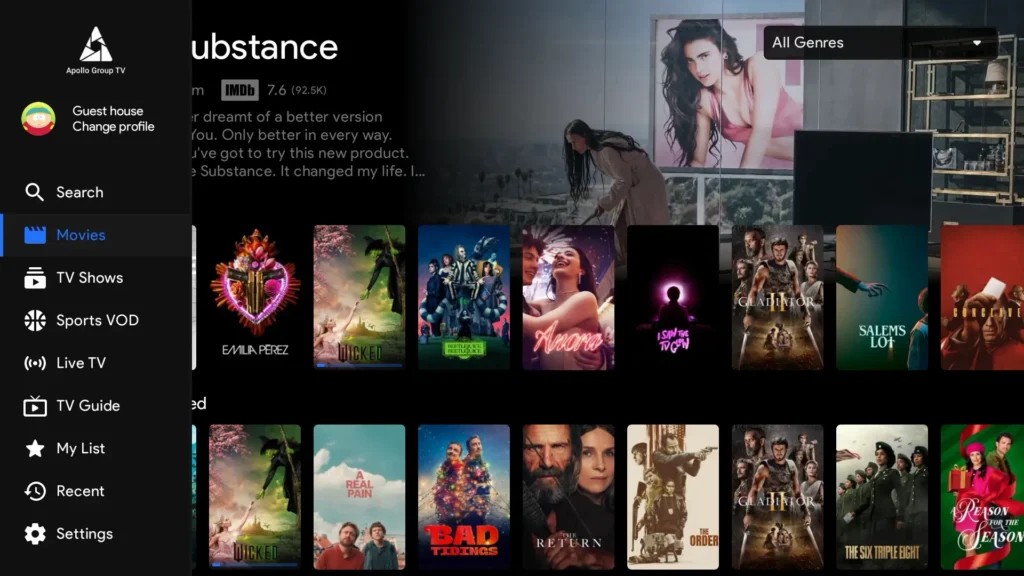
IPTV stands for internet protocol television. Instead of using a satellite dish or cable line, channels arrive through your internet connection and play inside an app on your device. Apollo Group IPTV is one of many IPTV services that bundle live TV channels, sports content, and video on demand into a single subscription. With Apollo Group IPTV, you sign in through an app or media player and scroll through an on screen guide similar to a classic cable box.
The service aims at viewers who want lots of live TV options without long contracts. Sports fans like the ability to watch matches on Firestick, Android TV, Smart TV, phones, tablets, laptops, and more. Families who share one account on several screens also find this style of service flexible. Keep in mind that Apollo Group IPTV itself is only the delivery method. The legality of what you watch always depends on whether the content comes from official rights holders in your country.
Why World Cup 2026 Streaming Is Different
World Cup 2026 does not behave like a normal night of casual TV. Millions of people press play at the same moment, and every goal chance puts more pressure on your connection. With Apollo Group IPTV, the stream still depends on your internet route, your device, and how busy your home network is while matches run.
Movies and series can hide small drops in quality because nothing depends on a split second pass. Live football punishes delay. A few seconds of lag with Apollo Group IPTV can mean you see the goal after social media or after your neighbor shouts. During World Cup 2026, even tiny delays feel bigger, so your setup choices matter more.
Traffic spikes hit hardest at kickoff and in knockout rounds. If several people in the home are gaming, downloading files, or streaming in 4K, your match is more likely to buffer. This is why fans in Canada should treat Apollo Group IPTV like live event tech, not a background stream. Good prep before the tournament starts gives you a smoother, more stable match day experience.
Best Devices to Watch World Cup 2026 in Canada
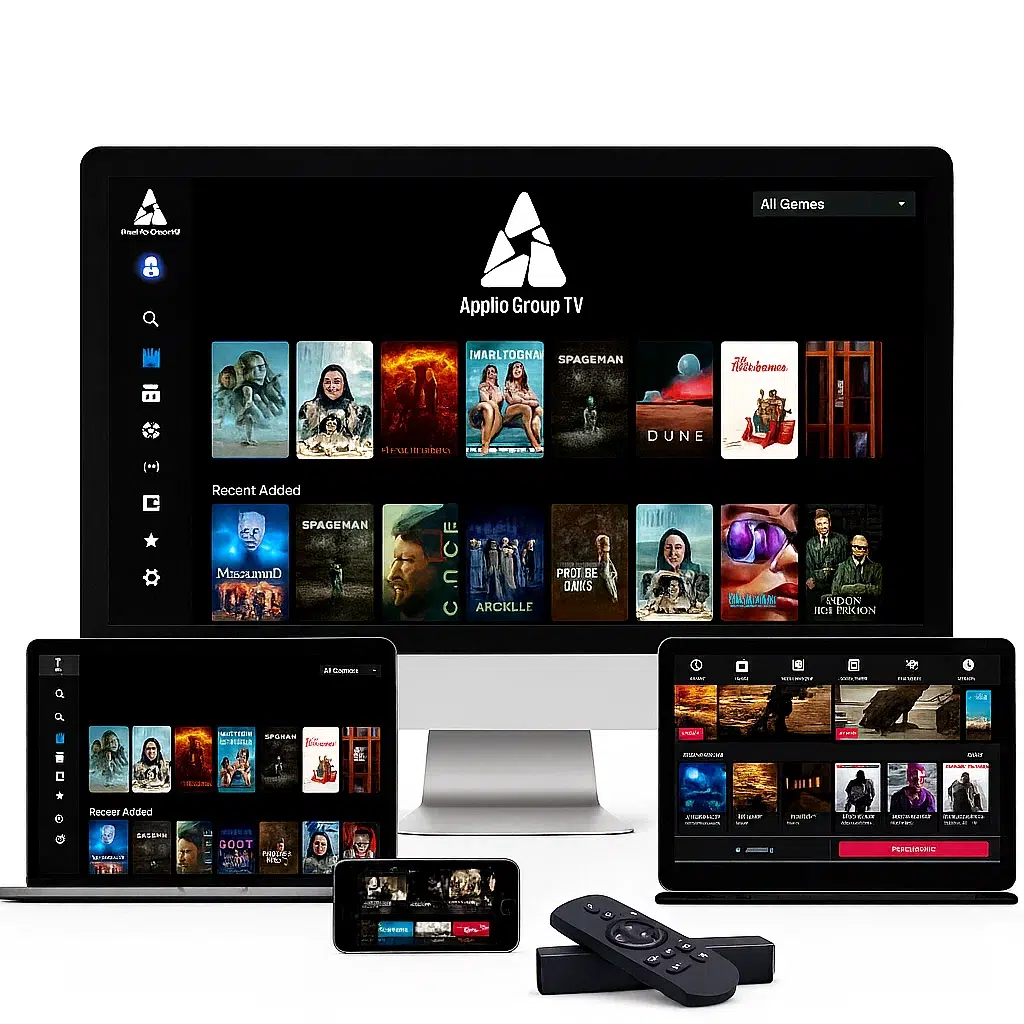
For most Canadian fans, the best way to watch World Cup 2026 with Apollo Group IPTV is on a streaming device that plugs into the TV or runs as a built in app. The device you pick affects stability, picture quality, and how easy it is to restart a stream if something goes wrong. With the right setup, Apollo Group IPTV can feel close to a regular cable or satellite feed during live matches.
Firestick / Fire TV
Firestick is one of the most popular ways to run Apollo Group IPTV in Canada. It is small, easy to move between TVs, and has a simple remote. During World Cup 2026, Firestick works well if it sits close to the router or connects through an HDMI port with a strong Wi Fi signal. For the most stable stream, many fans pair Fire TV with a fast internet plan and keep other heavy downloads off the network.
Android TV / Android Box
Android TV and Android boxes give more room for apps and settings than a small stick. They are a strong match for Apollo Group IPTV when you want more control over video settings or plan to run other sports apps on the same screen. If the device supports Ethernet, using a cable to the router can cut down lag during World Cup 2026 group games and knockout rounds.
Smart TVs Samsung and LG
Many Samsung and LG Smart TVs can run streaming apps directly, without extra hardware. This makes the setup clean, but some older models feel slower when switching channels or loading guides. For Apollo Group IPTV on a Smart TV, check that your model is recent, supports modern apps, and sits close to the router. If the Wi Fi chip is weak, a separate box such as Fire TV or Android TV can give a smoother stream for World Cup 2026.
iPhone, iPad, and Mobile Viewing
Phones and tablets are perfect as backup screens. You might use Apollo Group IPTV on an iPhone or iPad while traveling, in the kitchen, or as a second view when someone else uses the main TV. Mobile data can be risky for long matches because of caps, so Wi Fi is usually better for World Cup 2026 streams. Some fans cast from their phone to a TV, but this adds one more link in the chain, so test it before an important match.
Best Device for Live Matches
For most Canadian viewers, the best match day setup is Apollo Group IPTV on a Firestick or Android TV box connected to a large screen and as close to the router as possible. A wired Ethernet link, if your device supports it, usually gives the most stable World Cup 2026 experience, with a Smart TV or phone ready as a simple backup.
Internet Speed Required for World Cup 2026 (Mbps Guide)
World Cup 2026 puts more pressure on your connection than normal streaming, especially during key matches. To watch games in Canada with Apollo Group IPTV, you need enough internet speed for the picture quality you want and for the number of people online in your home. If your line is too slow, or if many devices share the same network, Apollo Group IPTV is more likely to freeze or drop quality during big moments.
For one stable stream, use these simple targets as a starting point. If more than one person is streaming at the same time, add extra room on top of these numbers.
| Video quality | Minimum Mbps per stream | Recommended Mbps per stream |
|---|---|---|
| SD 480p | 3 Mbps | 5 Mbps |
| HD 720p | 5 Mbps | 10 Mbps |
| Full HD 1080p | 10 Mbps | 20 Mbps |
| 4K | 25 Mbps | 40 Mbps or more |
Wi Fi congestion matters as much as your plan speed. During World Cup 2026, try to keep game streams on Apollo Group IPTV as close to the router as possible and limit big downloads or online games in the same time slot. A wired Ethernet cable, if your device supports it, usually gives the most stable stream for World Cup matches. Simple steps like moving the router away from walls, keeping it higher off the floor, and using the 5 GHz band when available can all help Apollo Group IPTV feel smoother during Canadian match nights.
How to Reduce Buffering During World Cup Matches
Nothing ruins a World Cup 2026 match faster than a frozen screen. If you watch in Canada with Apollo Group IPTV, small tweaks to your setup can make a big difference when the stadium noise rises. Live football puts extra pressure on your line, so it is smart to treat big games like an important live event and prepare your connection in advance.
Here are practical ways to cut down buffering during World Cup 2026 streams with Apollo Group IPTV:
- Use Ethernet when possible
If your device supports it, connect directly to the router with a cable instead of weak Wi Fi. This gives the most stable feed for Apollo Group IPTV during busy match times. - Stay close to the router
If you must use Wi Fi, keep your Firestick, Android TV box, or Smart TV in the same room or as close as you can. Thick walls and long distances weaken the signal. - Run a speed test before each match
Check that your download speed matches the target for your chosen quality. If numbers look low, restart the modem and router before starting Apollo Group IPTV. - Pause heavy downloads and gaming
Ask others in the home to avoid big downloads, cloud backups, and online games during matches. This frees up more bandwidth for World Cup 2026 streams. - Lower quality when the network is busy
If buffering starts and does not stop, drop from 4K to Full HD or from Full HD to HD inside your app or device settings. A stable picture at slightly lower quality is better than constant freezes on Apollo Group IPTV. - Restart devices on long match days
If you watch several matches back to back, restart your streaming device and router between games to clear up small glitches.
Before Kickoff Checklist
- Router and modem restarted earlier in the day
- Streaming device for Apollo Group IPTV tested with a short channel change
- Speed test result saved in mind for your target quality
- No large downloads or online games during the match
- Backup legal viewing method ready in case your main stream drops
Channels and Sports Coverage Expectations
When you plan to watch World Cup 2026 in Canada, it helps to treat Apollo Group IPTV as a general streaming platform, not as a guaranteed source for every specific channel. Many IPTV services list sports sections, football sections, or regional categories, but real access to World Cup matches still depends on which official broadcasters own the rights in your country. Apollo Group IPTV can carry live TV style channels and sports content, yet it cannot replace the legal agreements that official rights holders have with FIFA and local networks.
With Apollo Group IPTV, think in terms of overall sports coverage rather than promises about one exact match or channel. You may see football channels, sports bundles, and other live events, but those lineups can change over time. For key World Cup 2026 games, the most reliable option remains a licensed broadcaster or official streaming app that holds rights in Canada. Apollo Group IPTV can still be part of your wider viewing setup, such as for build up shows, other tournaments, or non World Cup sports.
A safe approach is to combine Apollo Group IPTV with at least one confirmed legal source for World Cup 2026. That way, you keep the flexibility of IPTV for everyday viewing while using official broadcasters when you want the highest certainty for important matches, semi finals, and the final.
Is Watching World Cup 2026 on IPTV Legal in Canada?
In Canada, IPTV as a technology is legal. You are simply watching TV content that arrives through your internet connection instead of cable or satellite. The legal question does not sit on Apollo Group IPTV as an app alone. It depends on where each channel or stream comes from and whether the rights holder has permission to show that content in Canada.

For World Cup 2026, FIFA grants rights to official broadcasters and licensed streaming services in each region. When you watch matches through these official sources, you stay inside the clearest legal zone. When you use an IPTV app such as Apollo Group IPTV, you have to understand that some streams may not come directly from rights holders, and that can raise legal and copyright concerns.
A safe approach is to treat Apollo Group IPTV as a general streaming tool and rely on official Canadian broadcasters for key World Cup 2026 games. That mix gives you flexibility while keeping your primary viewing route tied to licensed services. If you have doubts about how copyright works in your situation, the best step is to check local rules or speak with a qualified professional, then use Apollo Group IPTV in a way that respects those rules.
VPN, Privacy & Streaming Safety
A VPN, or virtual private network, adds a privacy layer to your connection by sending your traffic through an encrypted tunnel before it reaches a server on the internet. When you watch matches in Canada with Apollo Group IPTV, a VPN can help keep your browsing habits more private from public Wi Fi providers and reduce the amount of data that third parties see about your streaming routine. It does not turn every stream into a legal one and it does not replace the need to respect broadcast rights in your country.
Some viewers use a VPN when they feel their internet provider slows down heavy streaming at busy times. This practice is often called throttling and it can affect live sports. A VPN may make that kind of behavior harder to apply to one specific service, although results differ between networks and locations.
If you choose to pair a VPN with Apollo Group IPTV for World Cup 2026, pick a well known provider, keep your apps updated, and avoid free services that log or sell user data. Always combine VPN use with safe passwords, two factor security when available, and a clear focus on legal, licensed sources for key World Cup matches in Canada.

Official Ways to Watch World Cup 2026 in Canada
Even if you plan to use Apollo Group IPTV during World Cup 2026, it is smart to know the official viewing options in Canada. Licensed broadcasters and streaming platforms hold the rights for live matches, highlights, and replays. They are the clearest route when you care about legal access, stable coverage, and full match schedules. Apollo Group IPTV can be part of your everyday streaming setup, while official services handle the tournament itself.
Here are the main categories Canadian viewers usually rely on for big football events such as World Cup 2026:
- Cable and satellite sports channels
Traditional TV providers in Canada often carry the main sports channels that win World Cup rights. If you already pay for a sports bundle, check your plan to see whether it includes the channels that will show World Cup 2026. This route works well for households that still use a classic set top box and want a simple remote for match days. - Official broadcaster apps
Many rights holders now offer their own apps for Smart TV, Fire TV, Android TV, phones, and tablets. With these apps, you can log in with your TV provider details or buy a streaming pass just for the tournament. This pairs nicely with Apollo Group IPTV, since you might watch other leagues on your IPTV app and then switch to the official app for World Cup 2026 match coverage. - Streaming platforms and OTT sports services
Some tournaments appear on stand alone sports platforms that work through monthly passes or event passes. These services usually publish prices, schedules, and device lists well before the first match. If you want clear rights information and simple support, a legal OTT sports app can sit next to Apollo Group IPTV on the same device in Canada. - Mobile carrier bundles
In some cases, Canadian mobile carriers partner with sports or TV apps and include tournament access in certain plans. If you watch on the go, this kind of bundle can act as a backup when your home internet has trouble, while Apollo Group IPTV stays on your main TV at home.
For the safest setup, think of Apollo Group IPTV as one part of a bigger viewing plan. Use it for day to day sports, channels, and on demand shows, then rely on official broadcasters and their apps when you want guaranteed, fully licensed streams for key World Cup 2026 matches in Canada.
Apollo Group IPTV vs Other Viewing Options
When you plan for World Cup 2026 in Canada, it helps to compare Apollo Group IPTV with other ways to watch. Most viewers balance three things: cost, comfort at home, and how clear the legal picture is. Apollo Group IPTV sits next to cable, official streaming apps, and free over the air TV, and each option has strengths and limits on match day.
With Apollo Group IPTV, you get strong device choice and a streaming style that feels close to modern apps. Official broadcasters and their apps usually bring clearer rights for World Cup games and strong support if something breaks. Free TV can work for some matches if local channels carry them, but it rarely covers full tournament schedules.
| Option | Device flexibility | Setup complexity | Cost range (general) | Match day reliability | Legal certainty |
|---|---|---|---|---|---|
| Apollo Group IPTV | Works on Firestick, Android TV, Smart TV, mobile, and more | Needs app install and account details | Subscription, often lower than full cable | Depends on your internet and home network | Varies by source of each channel or stream |
| Official TV/streaming apps | Runs on most modern Smart TVs and streaming sticks | Simple log in with TV or streaming account | Often higher per month or per event | Built around licensed World Cup coverage | Strong, because they hold broadcast rights |
| Free over the air TV | Limited to TVs with antenna input | Needs antenna setup and signal tuning | One time antenna cost | Good if signal is strong, but few channels | Strong for channels that carry World Cup games |
For many Canadian fans, the best mix is Apollo Group IPTV for day to day viewing plus at least one official service for key World Cup 2026 matches. That way you keep the flexible app style of Apollo Group IPTV while leaning on licensed broadcasters when you care most about picture stability and clear rights.
Frequently Asked Questions about World Cup 2026 and Apollo Group IPTV
Can I watch World Cup 2026 on Firestick in Canada?
Yes, you can install the app that works with Apollo Group IPTV on a Firestick in Canada and stream on your TV. Test your setup before the tournament starts so you know your account, remote, and picture quality all work as expected.
What internet speed do I need for World Cup 2026 streaming?
For one World Cup 2026 match in HD, aim for at least 10 Mbps download speed, with more if other people in your home are online at the same time. If you want 4K quality while using Apollo Group IPTV or any other streaming service, a much faster plan and a strong home network are needed.
Why is my stream buffering during live matches on Apollo Group IPTV?
Buffering during World Cup 2026 is usually caused by slow internet, Wi Fi interference, or too many devices sharing the same network. If Apollo Group IPTV starts to freeze, try moving closer to the router, switching to Ethernet, or lowering the video quality for that match.
Which devices are best for watching World Cup 2026?
For most people, a Firestick, Android TV box, or recent Smart TV gives the best mix of comfort and stability for World Cup 2026. Many fans use one of these on the main screen and keep Apollo Group IPTV on a phone or tablet as a backup option.
Should I use a VPN for streaming privacy with Apollo Group IPTV?
Some viewers use a VPN with Apollo Group IPTV to add a layer of privacy and to hide their traffic from public networks. A VPN does not make unlicensed streams legal, so you still need to focus on official sources for World Cup 2026 in Canada.
Is Apollo Group IPTV the best IPTV for World Cup 2026 in Canada?
Apollo Group IPTV can work well for many Canadian viewers thanks to its app style and device support. The best setup for World Cup 2026 will usually mix a service like Apollo Group IPTV for everyday channels with at least one official, fully licensed option for the most important matches.
Final Match Day Checklist
Before kickoff, a two minute check can save you from last second stress. Use this World Cup 2026 checklist to get Apollo Group IPTV ready on your main screen and keep a backup route close by. The aim is simple – watch your match in Canada with as few surprises as possible while Apollo Group IPTV handles the stream.

Device
- Main device on and updated Firestick, Android TV box, Smart TV, or other screen
- Apollo Group IPTV app tested with a quick channel change
- Remote batteries working and easy to reach
Speed
- Speed test done within the last hour
- Result matches the target for HD or 4K from your earlier plan
- No big downloads waiting in the background
Connection
- Ethernet cable plugged in if your Apollo Group IPTV device supports it
- If on Wi Fi, device close to the router with a strong signal
- Router placed high and away from tight corners or metal blocks
Backup plan
- Official broadcaster app installed and logged in on a second device
- TV remote ready for a quick switch to cable, satellite, or antenna if needed
- Phone or tablet charged in case you need to move rooms and keep watching
Time zone check
- Match time confirmed in your local Canadian time zone
- Calendar or phone alert set for 10 to 15 minutes before kickoff
- Pre game show loaded early so Apollo Group IPTV is already running when the whistle blows
Getting Ready for World Cup 2026 with Apollo Group IPTV
World Cup 2026 will be a huge moment for football fans in Canada, and a little planning now can save a lot of stress on match day. Apollo Group IPTV can fit into that plan as a flexible way to watch live TV, sports, and other content on Firestick, Android TV, Smart TV, phones, and more. The real key is not just which app you use, but how well your device, internet speed, and home network are set up before kickoff.
If you choose Apollo Group IPTV for World Cup build up and everyday sports, pair it with a solid internet connection, a stable device, and simple habits like wired links or strong Wi Fi. For the biggest games, keep at least one official Canadian broadcaster or licensed streaming app ready, so your main route to World Cup 2026 stays tied to rights holders.
Take a moment to review the checklists, speed guide, and device tips in this guide, then adjust your setup to match your home. When you feel ready, you can move on to your next step, such as reading a pricing page, a setup tutorial, or a buffering guide for Apollo Group IPTV. That way, when the first whistle blows, you can relax, enjoy the match, and follow World Cup 2026 in Canada with confidence.